
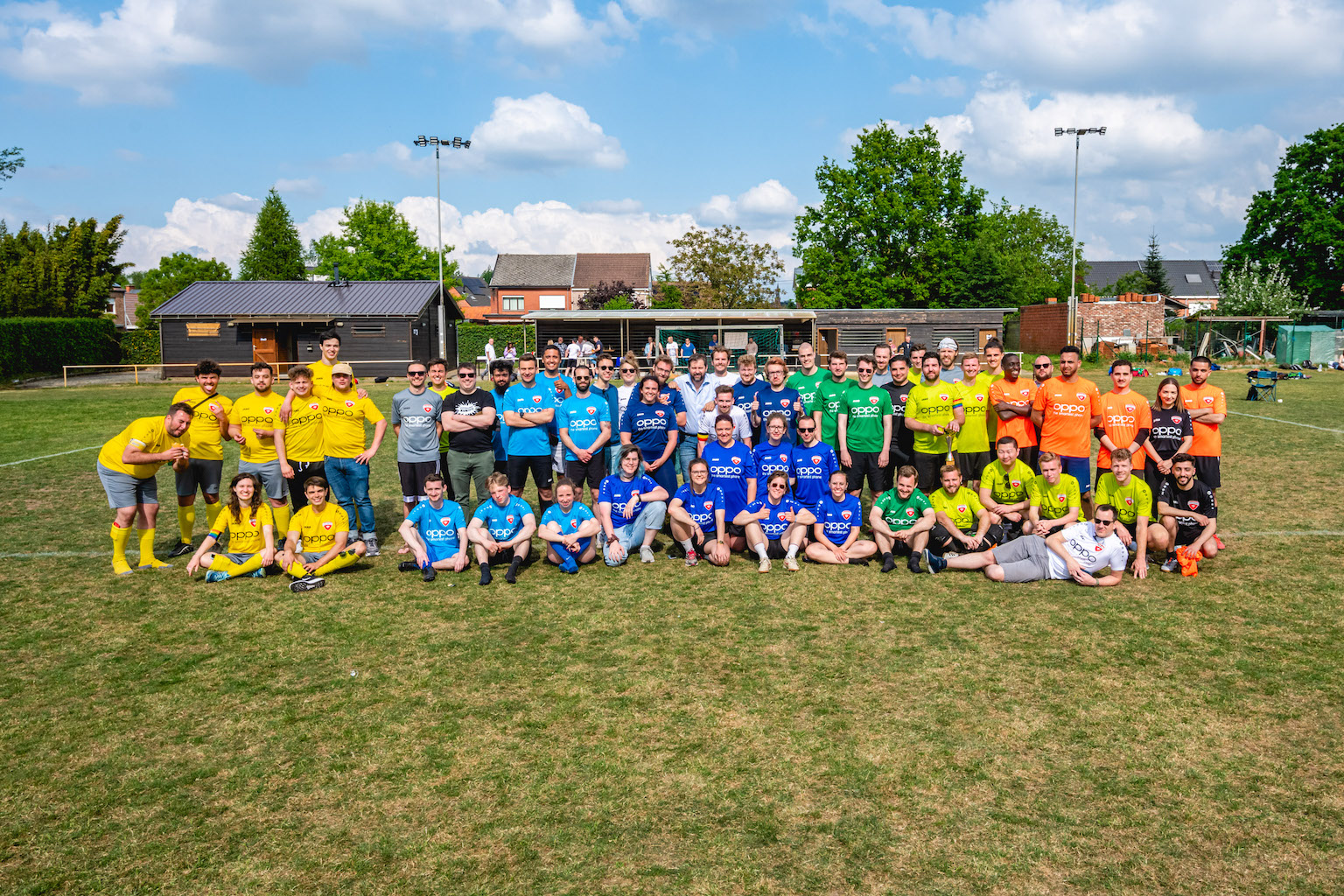
As a photographer, you’ll eventually get to the point where you have to take a group photo. For some, it’s a once-in-a-lifetime favor for family; for others, it’s a weekly reality at weddings or corporate events. As someone who frequently finds himself orchestrating these chaotic moments, I’d like to help you make your next group shot a success.
Making group photos has immense value. It captures a moment in time of that fun group you’re with on a trip, or it professionally showcases a company’s team to potential clients. But getting everyone looking good, in focus, and with their eyes open is a real challenge.
Let’s dive into everything you need to know about creating great group photos, from camera settings to posing and post-shoot logistics.
What gear to use for a group photo
You don’t need a massive studio setup to get a great shot, but a few key pieces of gear make the process much smoother.
- The right lens: A medium to wide-angle lens usually works the best. Depending on your group size and location, using a 35mm lens is usually the safest bet. It’s wide enough to fit everyone in without severe distortion on the edges.
- A sturdy tripod: Even though I sometimes hate using them when I’m running around an event, I highly recommend a tripod for group shots. It allows you to use a timer if you need to be in the photo yourself. More importantly, it keeps your framing perfectly consistent. This allows you to easily stitch several photos together in Photoshop to ensure everyone has their eyes open.

The best camera settings for group photos
If you want to know how to take group photos with everyone in focus, it all comes down to your exposure triangle.
- Aperture: This is your most important setting. You need a deep depth of field. Use a higher f-stop number, such as f/8 or f/11, for larger groups. This ensures that the people in the back row are just as sharp as those in the front row.
- Shutter speed: Keep this relatively fast. I recommend 1/200s or faster. Even when people are standing “still,” they are constantly shifting, blinking, and breathing. A faster shutter speed freezes that micro-motion.
- ISO: Adjust your ISO as needed to accommodate your aperture and shutter speed. Try to keep it as low as possible for the cleanest image, but don’t be afraid to bump it up if you’re indoors. Modern noise reduction handles high ISOs beautifully anyway.
Indoor vs. outdoor group photography settings
Where you shoot drastically changes how you configure your camera.
- Camera settings for group photos indoors: Light is your biggest enemy indoors. Since you still need that f/8 aperture to keep everyone in focus, you will have to raise your ISO significantly (often to ISO 1600 or 3200). If you have a flash, point it at a white ceiling to bounce soft light back down onto the group.
- Camera settings for group photos outdoors: Outdoor photos, especially on an overcast day, are ideal. You have plenty of ambient light, allowing you to shoot at f/8 or f/11 while keeping your ISO at a crisp 100 or 200. Try to position the group in open shade to avoid harsh, squint-inducing sunlight.

How to pose for group photos & avoid awkwardness
Getting the technical settings right is only half the battle. People look to the photographer for direction. If you don’t pose them, you’ll end up with an awkward group photo.
- What to do with your hands: This is the most common question I get from subjects. Have them casually put one hand in a pocket, gently cross their arms, or let their arms hang relaxed by their sides. Avoid the stiff “soldier” pose.
- Use a couch or seats: Depending on the couch, you can seat up to 10 people. Some can sit down, and others can stand behind it. Letting the tallest people sit in the front might seem counterintuitive, but it equalizes heights and makes the composition feel more balanced.
- Have people huddle up: It might feel too close for comfort for the subjects, but for the photo, it often looks significantly better if they are close together, even with shoulders overlapping. Make the group as compact as possible. Loose gaps between people make a photo look disjointed.
Tips for corporate team photos
Corporate group photos require a slightly more polished, formal approach. You want the team to look professional, approachable, and united.
- Symmetry is key: Try to balance the image’s visual weight. Place the CEO or leadership in the center, and balance the heights and clothing colors on the left and right sides.
- Clean backgrounds: Shoot in a modern office space, a boardroom, or against a clean, distraction-free architectural wall.

How to take good group photos with an iPhone
Not every group photo happens with a mirrorless camera. If you are using an iPhone, you can still get stellar results:
- Use the ultra-wide lens (0.5x): If you are in a tight space, switch to the ultra-wide lens to fit everyone in, but be warned: people on the far edges might look a bit stretched.
- Use burst mode: Slide the shutter button to the left to take a rapid burst of photos. This is the ultimate cheat code for ensuring you get at least one frame where nobody is blinking.
- Use your smartwatch: If you need to be in the photo, prop the phone up and use the camera remote app on your smartwatch to trigger the shutter and check the framing.
5 field-tested tips to make your group photos better
1. Make sure the lens can see all faces. Before pressing the shutter, I quickly scan the viewfinder. My rule of thumb: if I can’t see both of their eyes, the camera can’t either. Ask the group, “If you can’t see the camera lens, I can’t see you!”
2. Build the group from the center, whether it’s a bride, a CEO, or the birthday girl. Put the most important person in the center first, then start building the group around them. It’s much easier to tell people to “scoot closer to the center” than it is to herd the entire group at once.
3. One photographer at a time. Even if you are the official photographer, someone with a smartphone is always trying to take a photo over your shoulder. A group photo is chaotic, and having people confused about which lens to look at ruins the shot. Politely but firmly say, “Everyone look right here at my camera first, and then we’ll do the phones!”
4. Shoot during the setup. While still directing everyone to their place, take a few candid shots. The chaos, the laughter, and the funny interactions often make for better memories than the formal, posed result.
5. Obi-Wan the group (get the high ground). Being at a higher vantage point than your group solves many compositional issues. Stand on a sturdy chair, a staircase, or a balcony. When people look up at the camera, it naturally eliminates double chins and makes it incredibly easy to see every single face in the crowd.

How to share and collect photos from a large group
Once the shoot is done, figuring out the best way to share photos with a large group is often the most frustrating part.
- Google Photos / Apple iCloud shared albums: This is the easiest way to gather photos from a group. You can create a shared album, drop a link in the group chat, and let everyone view the professional shots and upload their own behind-the-scenes phone photos.
- Dropbox or Google Drive: If you are delivering high-resolution corporate group photos, use a cloud storage link. It doesn’t compress the images like WhatsApp or Messenger does, ensuring the client can print them at high quality.
Frequently asked questions
For a single row of people, f/4 or f/5.6 is usually fine. For two rows, use f/8. If you are photographing a large group with three or more rows, set the aperture to f/11 to ensure maximum depth of field.
Focus on the people in the first row and use a large f-stop number (a smaller aperture opening), such as f/8 or f/11. Ensure your shutter speed is above 1/200s to prevent motion blur.
A 35mm lens is the gold standard for group photography. It is wide enough to capture the group without requiring you to stand a mile back, but not so wide that it heavily distorts people at the edges of the frame.
Shoot in burst mode or take at least 5 to 10 consecutive photos. Later, in Photoshop, you can layer the images, align them, and mask in the open eyes from one photo onto the best overall group shot.
This is a fantastic guide on taking group photos, Frederic! Your tips, especially about positioning people with different heights and using triangles for composition, really show an understanding of capturing dynamic group shots. As a general contractor, I often work with teams on-site, and I think these techniques could also be helpful for capturing moments at work. I appreciate the suggestion to use a fast shutter speed to avoid blur, especially in outdoor settings where we often take photos with variable lighting conditions.
I’m curious about your recommendation on camera lenses for larger groups. Do you have a preference for lenses when photographing in tighter spaces or when you need to capture a wide scene with multiple people? Thanks for sharing your expertise!
https://www.stpaulboudoirphotography.com/
This is exactly what I needed to read regarding large groups! One of my questions would be whether you would recommend using Aperature Priority or Manual? I plan on using Canon Speedlite EL-5 off camera into an umbrella for some fill light but not overpowering the natural light. It is a family group of 14. Thank you!
Hey Francine, using a fill in light is a great idea. I sometimes do it too, just to add a “kiss of light” to the subjects. Whenever I use lights, I shoot manual, just because it’s easier. Sometimes, for groups this big, I use a tripod and shoot fully manual, so all my frames are identical. I shoot multiple shots and in case I have none with all eyes open, I can easily start compositing the different frames into one. The tripod makes sure the frame is always the same and shooting manual keeps lighting 100% consistent. If you really want to do a thorough job, move everyone out of the frame afterwards and shoot the setting empty as well, in case you need to remove people or something.