
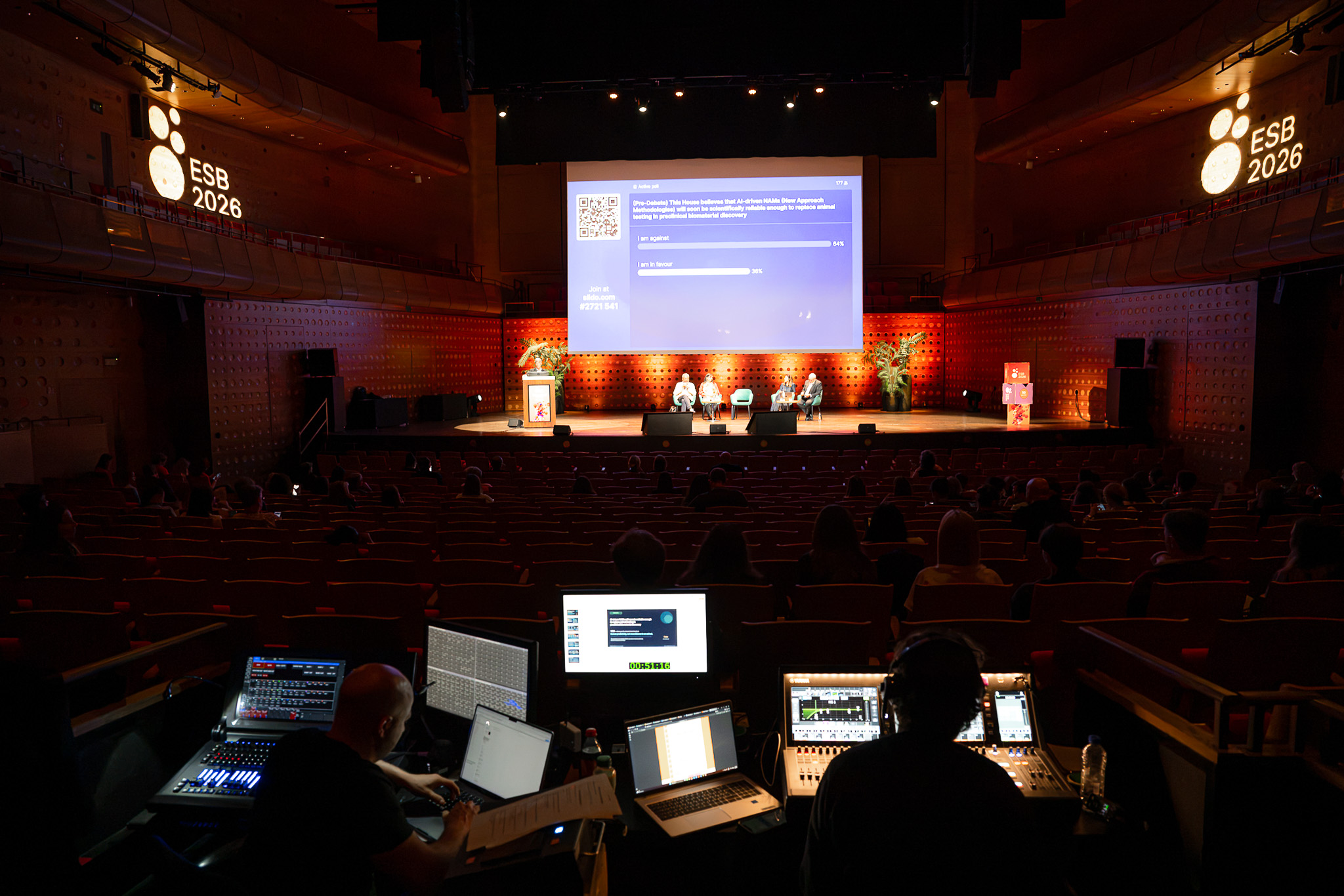
If you’re an event photographer too, you know how exhausting those days can get. So how do you even do five of those long days in a row without suffering? In this corporate event photography guide, I’ll walk you through exactly how to survive and thrive.
Maybe you don’t have a 5-day conference planned; maybe it’s shorter; maybe it’s just 5 separate events in a row; maybe it’s Maybelline. Even then, I think this guide can help you manage that busy period.
Pre-production tips for multi-day conference photography
Everything starts way before the event even kicks off. If you’re lucky, they’ll book you months in advance, giving you a good chance to avoid overbooking your days before and after the event.
When the start date of the event approaches, usually a week or two before, I schedule a video call with the organizing partners. This could be the hosts or an agency taking on the full event project management.
You can meet earlier, but I’ve found that there are often too many uncertainties and unknowns, so we meet a week before the event.
What are the main events during the conference?
The idea here is to know what to focus on and prioritize. Some conferences have busy schedules; in those cases, it’s valuable to know what’s essential and what isn’t. Staying focused preserves your energy and keeps your mind free of worry.
Where are you going to use the photos?
This can matter for certain compositions and storytelling. If they’re only using them on Instagram, shooting more vertically can be worth it.
Are there any VIPs that need to be in the pictures for sure?
Every conference has its VIPs: organizing members, industry legends, award winners, keynote speakers, … It’s useful to know who to focus on, not only when they’re on stage, but also candid networking photos of these people are often appreciated.
Are there booths and other elements that need to be photographed?
Usually, the event sponsors get a booth somewhere in the event space; they want to promote their presence too, and the organization needs proof they had their booth or sponsored visuals set up.
When do you need the photos delivered?
With events, delivery’s usually fast, but how fast is fast? Some need a few photos each day to keep their social media going; others only need them a few days later. Knowing this will keep you from surprises: “Can you give us a few already? Oh, you didn’t bring a laptop?”
It also helps to know if you need to allocate time during the day for edits already or not.
Are there any moments not mentioned in the public schedule: giving people flowers, special mentions, …
They don’t put these events on the official schedule, but it’s good for me as a photographer to know if these moments are going to happen. A sudden thank-you moment for someone working 20 years at the company is a moment you surely want to capture!
Discussing point-of-contacts
During events, something always goes wrong, something comes up that hasn’t been discussed, or a speaker goes overtime. Things that might cause you to adapt to a new situation. Talking in advance with the POCs (points of contact) and having a WhatsApp group can help in those moments.
Managing the event client expectations
Another important part of the pre-event video call is setting expectations correctly. If you’re lucky, the expectations aren’t too high, and you can easily overdeliver. But if needed, you can adjust them. Tell them what’s realistic and what isn’t.
Being present at three key moments at once is obviously impossible. They might not have thought about it, or they might be looking to you for solutions. Asking them to prioritize can be a good strategy at that point. Or you can tell them they will need to pay for a second shooter.

The ultimate event photography gear list
Photographers always say gear isn’t important, and sure there’s truth to that, but try rolling up to a client with no cameras or lenses. Anyway, bringing the right gear matters. So what to bring to photograph a multi-day conference?
The gear list for conference photography in short:
- Preferably, bring two camera bodies
- A 24-70mm all-round lens (f/2.8 if possible)
- A 70-200mm for the close-up photos of speakers
- Plenty of memory cards
- Extra batteries
- Bring your battery charger
- Your card reader to load up photos during the event
- Obviously, also your laptop and charger then
- An on-camera flash
- Some extra lenses you might enjoy (extra wide, creative, macro for certain details, …)
Two camera bodies are essential for conference photography
You can probably do with just one body too, but in moments like award ceremonies or other important events, it’s useful to have two. This way you don’t have to spend time changing lenses. You could lose valuable time and miss crucial shots.
Having two cameras also lets you set them up specifically for each lens. Not always, but I usually set my camera with the 24-70mm to matrix metering, while the 70-200mm is usually on spot metering. It seems like a small difference in setup, but it can heavily impact your photos.
The best lenses for conference photography
By far, the 24-70mm and 70-200mm are the most important lenses for conference photography. With these two lenses, you cover the full range. These allow you to capture broad overview shots, close-up speaker headshots, and get into the crowd during the networking parts…
You can bring additional lenses if needed, but these two are non-negotiable to me. For more fun shots, you can also consider a 14-24mm for ultra-wide overview shots, especially if the location is just beautiful. Or a macro lens if you expect small important details.
Using a flash in your conference photography
A flash (or speedlight, however you want to call it) is also fairly essential to me. You can survive without it, but I think it helps a lot, especially in more challenging lighting conditions. I don’t often flash during the speaking sessions, but I will if it’s really necessary.
The flash is most useful during networking moments, dinners, gala evenings, and other times when you really need good lighting.
My battery strategy for conference photography
I don’t really enjoy spending money on batteries and memory cards. They can get expensive, but they are essential. Bringing plenty of batteries allows you the comfort of always having the next one ready and charged.
For that reason, I also bring a charger. I have a battery in every camera, plus 4 spares in my bag (usually kept somewhere safe but accessible at the venue), for a total of 6 batteries. By keeping a charger at the media desk, I always have one battery charging while my spares buy me enough time so I never have to rush or panic about power.
It’s also important to keep this rotation going, as you’ll need plenty of energy throughout all the event days.
Memory cards to store all the important moments
Same as with batteries, storage is important. I don’t feel comfortable formatting cards until the photos are delivered. For a multi-day event, I need plenty of card storage, as well as computer storage for the backups I make throughout the day.
For that reason, it’s also important to bring your card reader and laptop (with charger). So you can back up the photos during the event and maybe do some edits while you’re at it.

Managing schedules, gear, and energy during the multi-day conference
Let’s dive into the actual time during the conference. Having done your preparations, this shouldn’t be too difficult and actually feels like most shorter corporate events; Just in a serial fashion.
Scheduling your day
See how the day’s plan looks. What essential moments do you need to be present for, and what can you do during the other moments? When might be a good time to join in lunch or back up your shots and do some edits?
Think strategically about the day when looking at the schedule. What’s essential, and what moments can you take for a breather? How can you travel through the venue in the most optimized way?
Find a routine
Like scheduling, you can build small routines into your conference days. For example, set a route to hit all stages and photograph as many speakers as possible. At those stages, you’ll quickly find the best spots to ensure every speaker gets a good shot.
In these scenarios, it’s often best not to overshoot. If you need to photograph hundreds of speakers, don’t provide each of them 5 photos. You can shoot a few, but keep it short and get to the next one. You only need to deliver about one, maybe two, shots per speaker.
Pace yourself
You have long days ahead, and photography is physical, so take breaks when the schedule permits. Have a snack, sit down, drink some coffee. But also make sure to eat healthy; don’t choose delicious food that will slow you down; choose nutritious options.
Adapt to the situations.
A conference usually has several parts, where you might need to be stealthy while photographing speakers; you can be more proactive while shooting sponsored booths or posing people for group photos.
These conferences also usually have several types of networking evenings. Pizza, gala dinner, informal events, site visits, … All of these ask for different approaches, so be sure to be ready for those.
Wear comfortable clothes
Obviously, don’t arrive in jogging pants and a hoodie, but wear something that lets you move throughout the day. Your shoes are especially important, as you’ll be on your feet for long hours and take many steps. You can even bring an extra pair of shoes to switch throughout the day.
Make photos for yourself too
I already mentioned taking time for a snack, but also take photos for yourself. Moments you notice that might not be interesting for the client, but that you enjoy. This could be abstract scenes, moments you like, stuff (only) you find funny, …
Load the photos in Lightroom already
Even if you don’t plan to edit them yet, you can start by loading them anyway. The creation of (smart) previews, uploading to Dropbox (or other cloud services), and the noise reduction AI can take some time.
While you go out shooting more shots, the previous ones can already back up, load in, and denoise, saving you time in the evening or later when you do decide to start editing.
Schedule time off
Maybe not during the conference itself, but directly following it. You’ll be drained, so plan something that energizes you. Could be sports, hanging out with friends, or just sitting on the couch with a bag of chips and playing some PS5.

My post-production conference photography workflow
When you close the venue door behind you on the last day, the work isn’t entirely over. I have templated to-do lists for myself so I don’t forget all the things I still need to do:
- invoicing (if you haven’t done it already),
- editing the photos,
- captioning the images with the speakers or event information
- sending the gallery link to the customer
- Bringing rented gear back
- …
Finish the job properly and quickly, but also take time for yourself. You need to relax, re-energize, and get ready for the next assignment.
Which tip helped you out the most? Let me know in the comments!